Set the start and finish line
Set the main crossing line so Skorost knows where each lap begins and ends.
 SKOROST
Configure the course while stationary, then let Skorost detect start/finish and sector crossings from GNSS samples during the session.
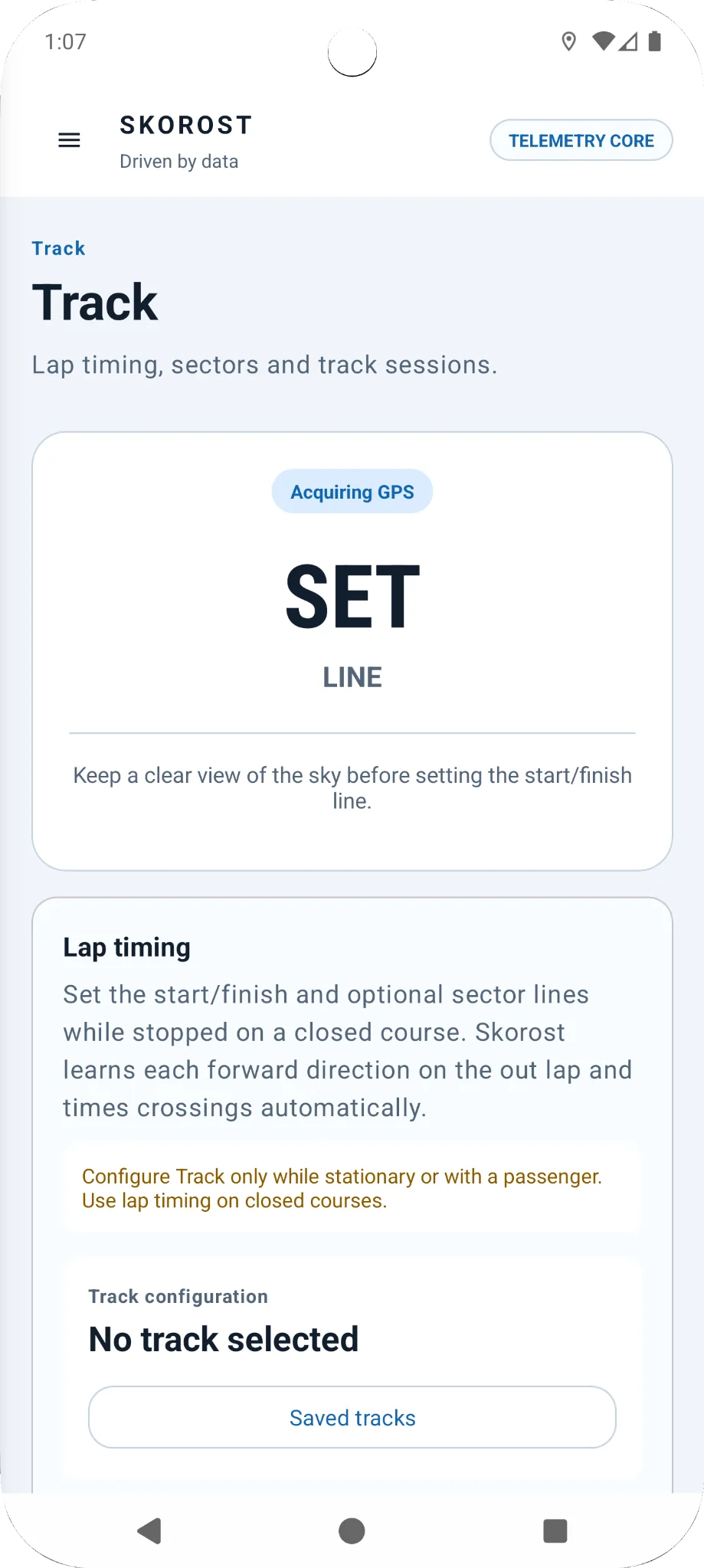
Track setup belongs while safely stationary or with a passenger. Save a start/finish line and optional sectors before you begin the timed session.
Set the main crossing line so Skorost knows where each lap begins and ends.
Add optional sector lines so a final lap time is not the only information available after the session.
Skorost can learn or use the expected forward direction so the same line is not treated as an equivalent crossing from the wrong side.
Save configured tracks so you can use them again without repeating setup.
Once the session is running, Skorost watches the recorded GNSS path and times valid crossings automatically. The quality of the phone's fix still matters, which is why GNSS status stays visible elsewhere in the app.
Skorost detects each valid line crossing automatically, so you do not need to tap the screen during a lap.
Saved Track sessions can remain available with their lap context instead of disappearing when you leave the screen.
Compatible saved session data can be inspected alongside route and telemetry context in History.
Satellite visibility, signal conditions and receiver quality affect timing repeatability. Use Skorost's GNSS view when conditions are questionable.
Track timing is intended for closed-course use. Configure the course while safely stationary or with a passenger and do not use public roads for competitive timing.